
Best Memory Cards for the Sony ZV-E10 and ZV-E10 II (2026)
Updated November 2026. I first wrote this post in 2021 for the original ZV-E10. This update adds the ZV-E10 Mark II, which can use faster cards, plus what I've learned after years of using the Mark I as my go-to.
As an Amazon Associate and in connection with other affiliate programs, I earn from qualifying purchases. This is at no additional cost to you.
What are the best memory cards for the Sony ZV-E10?
If you're looking for the best memory cards for the Sony ZV-E10, here's the short answer.
If you're going with the ZV-E10 Mark I, a SanDisk Extreme is sufficient.
A 128GB card is plenty if you're shooting short-form, single-day vlogs you offload that day or so, or batch recording long-form in batches of about 3 videos at around 20 minutes or less.
A 256GB card is great when you're recording vlogs, podcasts, or events to the SD card directly, or batch recording a lot of long-form content.
This isn't scientific by any means. It's what I've found in my own experience after owning the camera for several years and using it as my go-to for years straight.
The Extreme Pro cards come in handy when you're focusing specifically on 4K, you want to constantly leverage the best the camera can do, and you know there's a potential you'll upgrade or change cameras within about two years. That way you don't have to rush and get a better SD card right away.
Ever bought a camera kit and found one of those little memory cards tucked in the box? That card usually isn't the one you need for video.
The ZV-E10 is an awesome little camera, but it has requirements when it comes to memory cards. And now that there are two of them, the Mark I and the Mark II, the right card depends on which one you own.
So here's the plain English version, so you don't spend your hard-earned money on an SD card you'll never use.
What do the numbers on the front of the card mean?
The read and write speeds have seemed to improve quite a bit since I originally recorded the video.
The Extreme cards I show in the video have 150MB/s on the front. That's the read speed, like how fast it can read from the card to the computer when you're transferring your data.
These older cards are 150 MB/s Read / about 70 MB/s Write.
The newer cards are up to 230 MB/s Read / up to 160 MB/s Write.
So it's important to know the difference when you're looking at the front of the card. The W is for writing to the card. The R is for reading from the card.
(Old version left, New Version right)
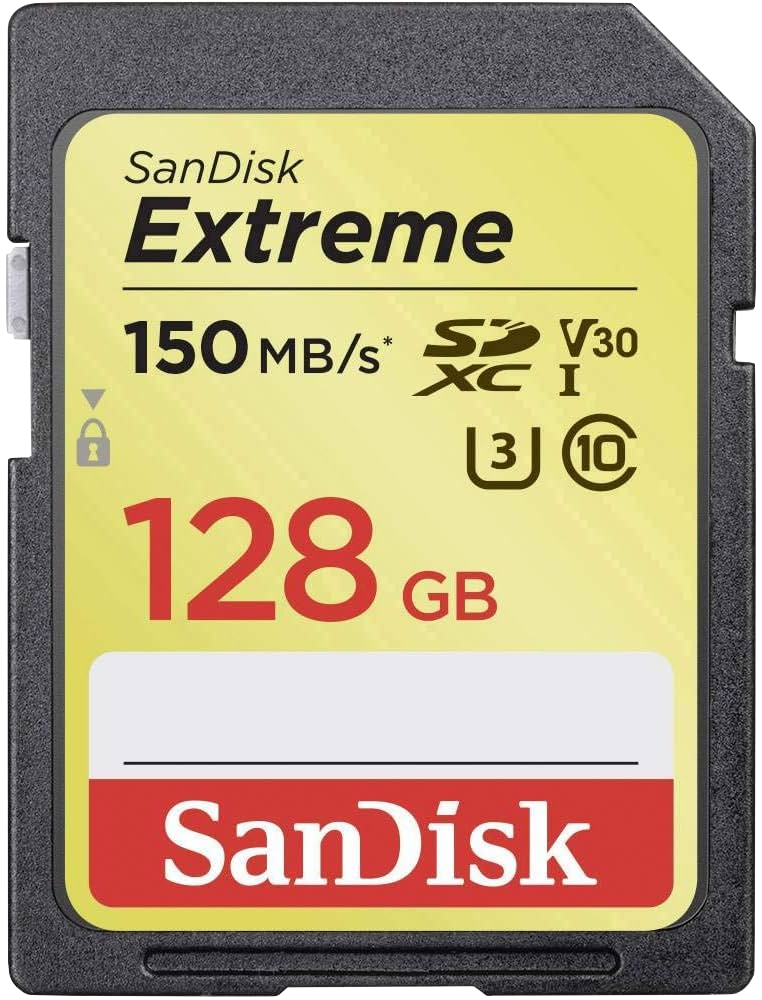
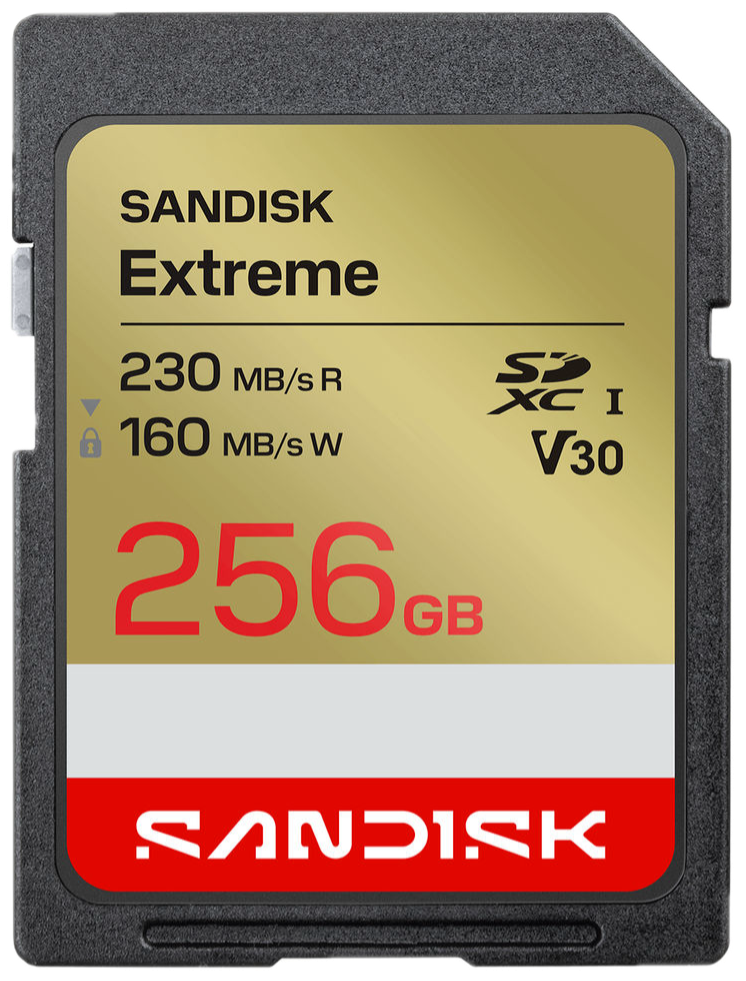
If you purchase a card and you see those two newer numbers on the front, the Extreme is plenty fast and really good for the Sony ZV-E10 Mark I. Even if you upgrade to another camera, these cards will still hold their value just fine.
Once I've set my go-to custom buttons, I save my camera settings so I never have to manually set my camera up again. Even if I upgrade or rent a second camera, like an a6700 or a ZV-E1, I load the brain of my settings profile and it's ready to record in five minutes.
There's roughly a $7 difference between the older and newer versions, so don't cheap out and get the older version. Especially if you're buying it brand new.
You can grab a 128GB Extreme or a 256GB Extreme here.
Which memory card does the Sony ZV-E10 Mark I need?
The ZV-E10 Mark I has one SD card slot, and it's UHS-I. Sony lists two speed levels for video in its ZV-E10 Help Guide:
Class 10 or U1: enough for 4K at 60Mbps and Full HD at 60Mbps or lower.
U3: needed for 4K at 100Mbps and Full HD 120p at 100Mbps.
100Mbps is the highest speed this camera can output when recording. So a U3 card, which is almost always labeled V30 too, covers everything the Mark I can do.
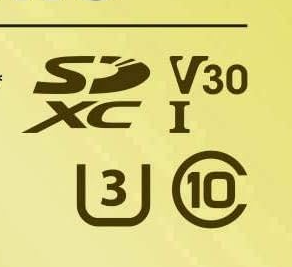
What about the faster UHS-II cards? They fit and they work, but the Mark I's slot runs them at UHS-I speed. You'd be paying for speed the camera can't use.
Which memory card does the Sony ZV-E10 Mark II need?
The Mark II has a faster slot. It takes UHS-I and UHS-II cards, and its biggest bitrates need a faster card. Here's what Sony lists in the ZV-E10 Mark II Help Guide:
U3 or V30: regular 4K in XAVC HS or XAVC S at up to 200Mbps, and Full HD at up to 100Mbps. That's your everyday 4K, 4K 60p included.
V60: Proxy Recording, slow and quick motion (S&Q), and 4K 120p.
V90: XAVC S-I, Sony's All-Intra format, at up to 600Mbps in 4K. V90 is for All-Intra. For 4K 120p movie mode, V60 or better is enough.
Quick translation. If you film talking-head videos, courses, and live streams in regular 4K, a V30 card is plenty. If you hand your files to an editor who wants All-Intra, that's when V90 earns its price.
About that 4K 120p: in December 2025, Sony released a free 4K 120p Upgrade License for the Mark II. You download it with your camera's serial number, and it adds 4K 120p plus Full HD at 240fps in slow motion. (Sony, please keep doing this.)
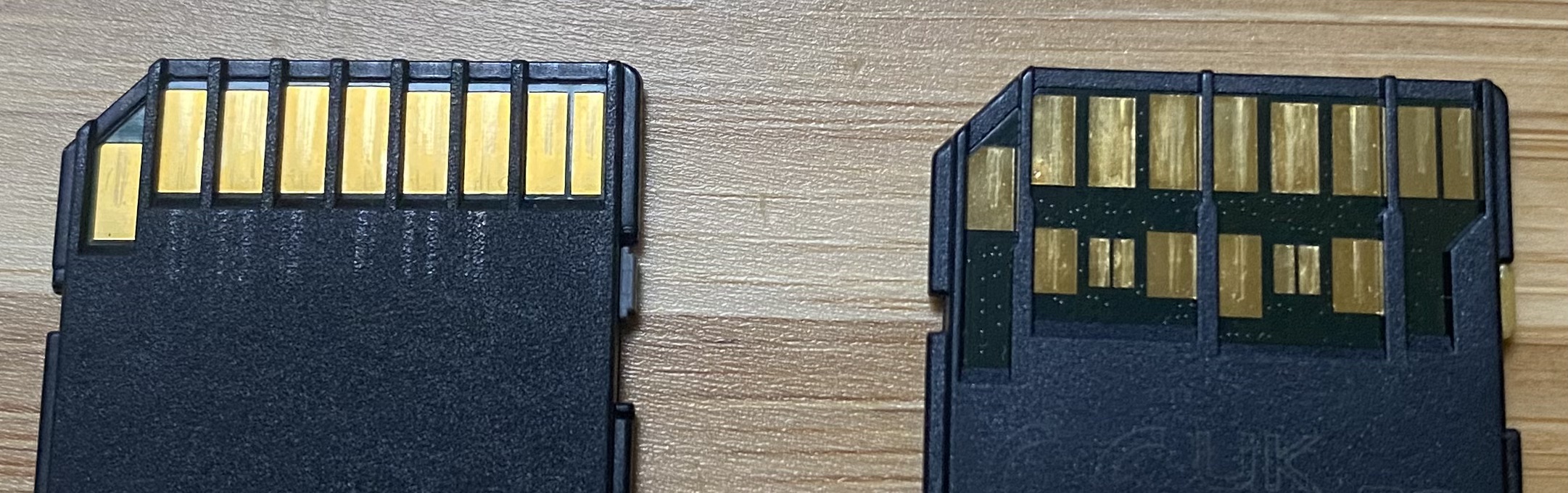
What do SDHC and SDXC mean?
SD cards come in capacity classes. The HC in SDHC stands for High Capacity, and those cards top out at 32GB. The XC in SDXC stands for eXtended Capacity, 64GB and up.
Here's why you care. On both cameras, Sony says an SDHC card splits long recordings into 4GB files. The camera keeps recording, but your 45-minute podcast or hour-long live show comes out in pieces.
Get an SDXC card, 64GB or bigger, and the recording stays in one file.

What size memory card should you get?
For the ZV-E10 Mark I, start with 128GB if you're shooting short-form, offloading often, or batching a few shorter long-form videos. Step up to 256GB if you're recording longer sessions straight to the card.
On the Mark II, the same sizes still work, but the higher bitrates fill a card faster. If you shoot All-Intra, those files are chonkers, so buy the bigger card.
What are the best memory cards for the ZV-E10 Mark I?
The SanDisk Extreme and SanDisk Extreme Pro have been my go-to cards for years. They've held up for me through travel days, airport scanners, and the occasional drop.
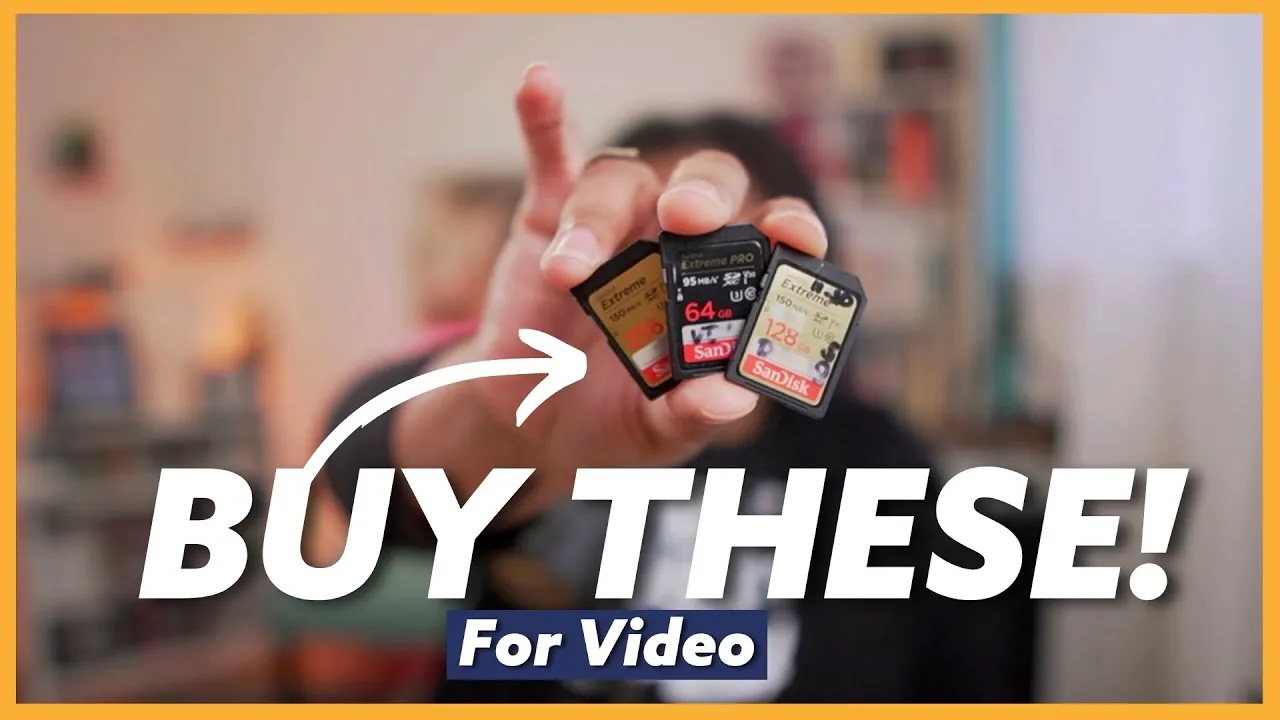
My pick: SanDisk Extreme SD UHS-I, 128GB. It's V30 and U3, which covers every mode on the Mark I, and the newer 230/160 cards are plenty fast.
For long recording days: the same card in 256GB.
If you're focused on 4K and may upgrade within about two years: the SanDisk Extreme PRO 128GB or the 256GB Extreme PRO.
What are the best memory cards for the ZV-E10 Mark II?
This comes down to what you shoot, so start there.
Regular 4K, live streams, and talking-head videos: the same SanDisk Extreme PRO UHS-I or SanDisk Extreme from the Mark I list works great. No need to spend more.
My pick for the Mark II: SanDisk Extreme PRO SD UHS-II V60, 128GB. It covers proxies, slow motion, and 4K 120p, and it offloads faster because the Mark II's slot and a UHS-II reader can use the extra speed.
Best value in UHS-II: Kingston Canvas React Plus V60, 256GB. Kingston makes some of the most reliable UHS-II cards I've used, and you get double the space for about the same money.
Only if you shoot All-Intra: Sony TOUGH SF-G V90, 128GB. V90 is the rating Sony requires for XAVC S-I.
How do you get footage off the card faster?
A fast card only helps if the reader on the other end keeps up.
Pro tip: Pair your SanDisk cards with a SanDisk card reader instead of a no-name one. SanDisk says its cards only hit their top read speeds in a compatible reader, like its own, and a slow knockoff reader is where offloading turns into a coffee break.


Which memory cards should you skip?
The card that came in the kit. It may say "4K" on the label, but check the speed rating before you trust it with a long recording.
Anything 32GB or smaller. Those are SDHC, so your files split at 4GB.
Mystery giant cards for a few dollars. Please don't buy a $10 "1TB" card. They get bricked and your footage goes with them. (Ask me how I know.)
V90 cards for the ZV-E10 Mark I. The Mark I can't use that speed while recording.
Got older, slower cards in a drawer? Keep them for audio recorders and other gear that doesn't need the speed.
What else should you know about memory cards for the Sony ZV-E10?
Can the ZV-E10 use a microSD card?
Yes, with an SD adapter. Sony says to use the appropriate adapter on both the Mark I and the Mark II.
Does either camera have two card slots?
No. The Mark I and the Mark II each have one SD slot, which is one more reason to buy a reliable card.
Should you format a new card in the camera?
Yes. Sony recommends formatting a card in the camera the first time you use it. Formatting erases everything on the card, so back up first.
So, which card are you using?
Picking the right gear makes content creation so much easier, and a reliable card is one of the cheapest upgrades you can make.
If you want my starting point for the ZV-E10 Mark I, it's the SanDisk Extreme 128GB. Go 256GB if you record longer sessions, or step up to an Extreme Pro if you're all-in on 4K and might change cameras within about two years.
Tell me in the comments which camera you have and which card is in it right now.
Once you've got the right card in the camera, I'd fix your settings next. Here are the 5 Sony ZV-E10 settings you need to change ASAP for video.